The EduGPT Workshop is online: 20 clips showing you how to get the most out of EduGPT for primary, secondary, vocational, higher professional, and university education.
The EduGPT Workshop is available online at academy.civai.eu/onderwijs/werkplaats. In 20 short clips, you’ll see how to get the most out of EduGPT, from a PowerPoint with speaker notes to open educational resources from Edurep and Edusources. There’s a pathway for foundational education with EduGPT – Teacher and a pathway for secondary vocational, higher professional and university education with EduGPT – Lecturer. Like the rest of CivAI Academy, the Workshop is free of charge, requires no account, and uses no cookies or trackers.
W-SLO, searching for core objectives with SLO learning goals in EduGPT
From working wisely with AI to getting everything out of EduGPT
In the CivAI Academy lessons, you learn to work wisely with AI. You learn how AI works, where it can go wrong, and why you need to keep thinking for yourself. The Workshop is the next step. There, you learn what EduGPT can do and how to use it for your own lessons.
Each clip lasts no more than two minutes. You see a demo in EduGPT, with a scenario from a fictional school or course, and there’s always a checkpoint. Afterwards, you do the task yourself, using a lesson from your own week.
What you learn in the Workshop
The Workshop mainly shows what makes EduGPT different from a regular chatbot.
- Critical Thinking Engine. EduGPT first asks questions back instead of immediately giving the answer, so you and your pupils keep thinking for yourselves.
- Searching the internet with sources. EduGPT searches in a structured way, with link and date for each source, so you can check for yourself.
- Working with your own documents. You add your lesson form or a reader, and EduGPT responds with the location in the document.
- Creating documents. A worksheet in Word or as a PDF, a PowerPoint with speaker notes, and an Excel file with formulas, at multiple levels.
- Creating images. An illustration, a colouring page, or a background for your lesson.
- Links to educational sources. SLO learning goals for the core objectives in primary and secondary education, Edurep for open educational resources, and Edusources for open educational resources in secondary vocational, higher professional and university education.
- Your own AI Companion. You let the Prompt Companion write the instructions, use the Agent Builder to create an AI Companion, and test it yourself. You also work with the Test Companion and the Feedback Companion.
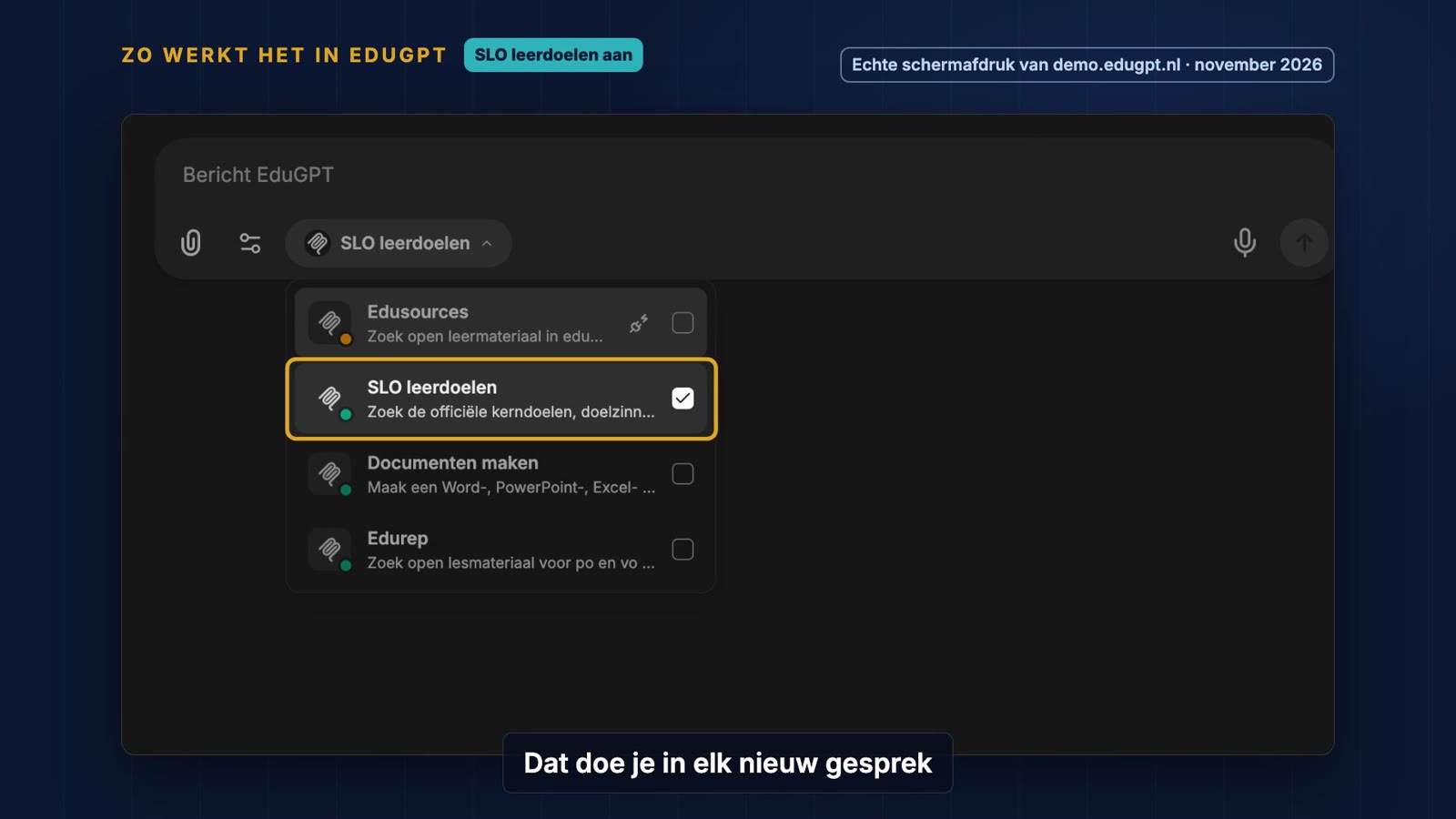
You activate a link in the EduGPT plus menu.
Foundational education, primary and secondary
For teachers and lecturers in primary and secondary education, there’s the master project for primary and secondary. In five clips, you prepare a complete lesson for a fictional Year 6 class, from lesson objective to exit ticket. You choose the objective, search for material in Edurep, let EduGPT fill in your school’s lesson form, create a PowerPoint and a worksheet at three levels, and finish with the Test Companion and the Feedback Companion.
With the SLO learning goals link, you search for the core objective from the 2026 core objectives with the exact wording. You then compare that text yourself with the SLO website.
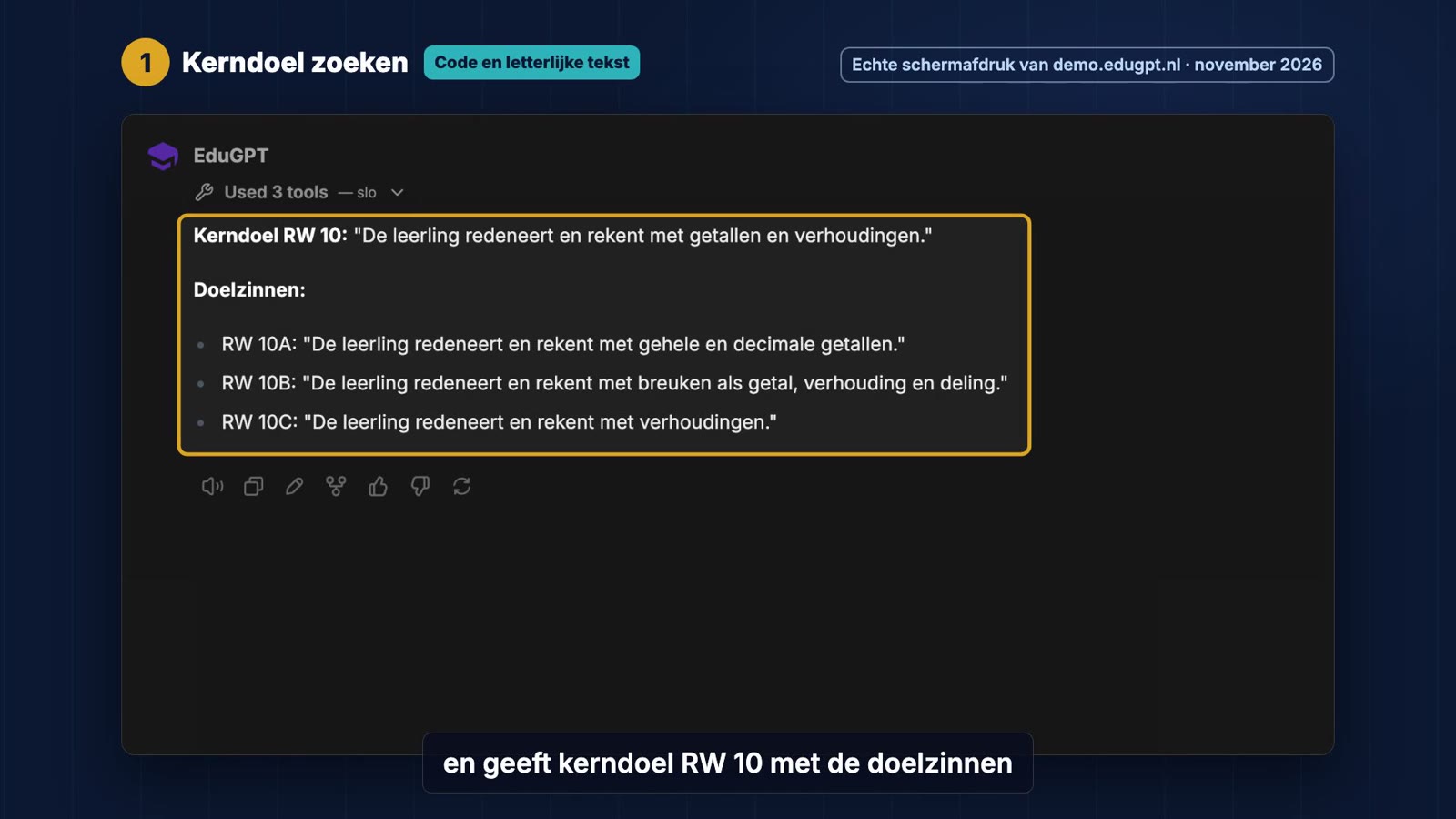
EduGPT provides the core objective and goal sentences directly from the SLO source.
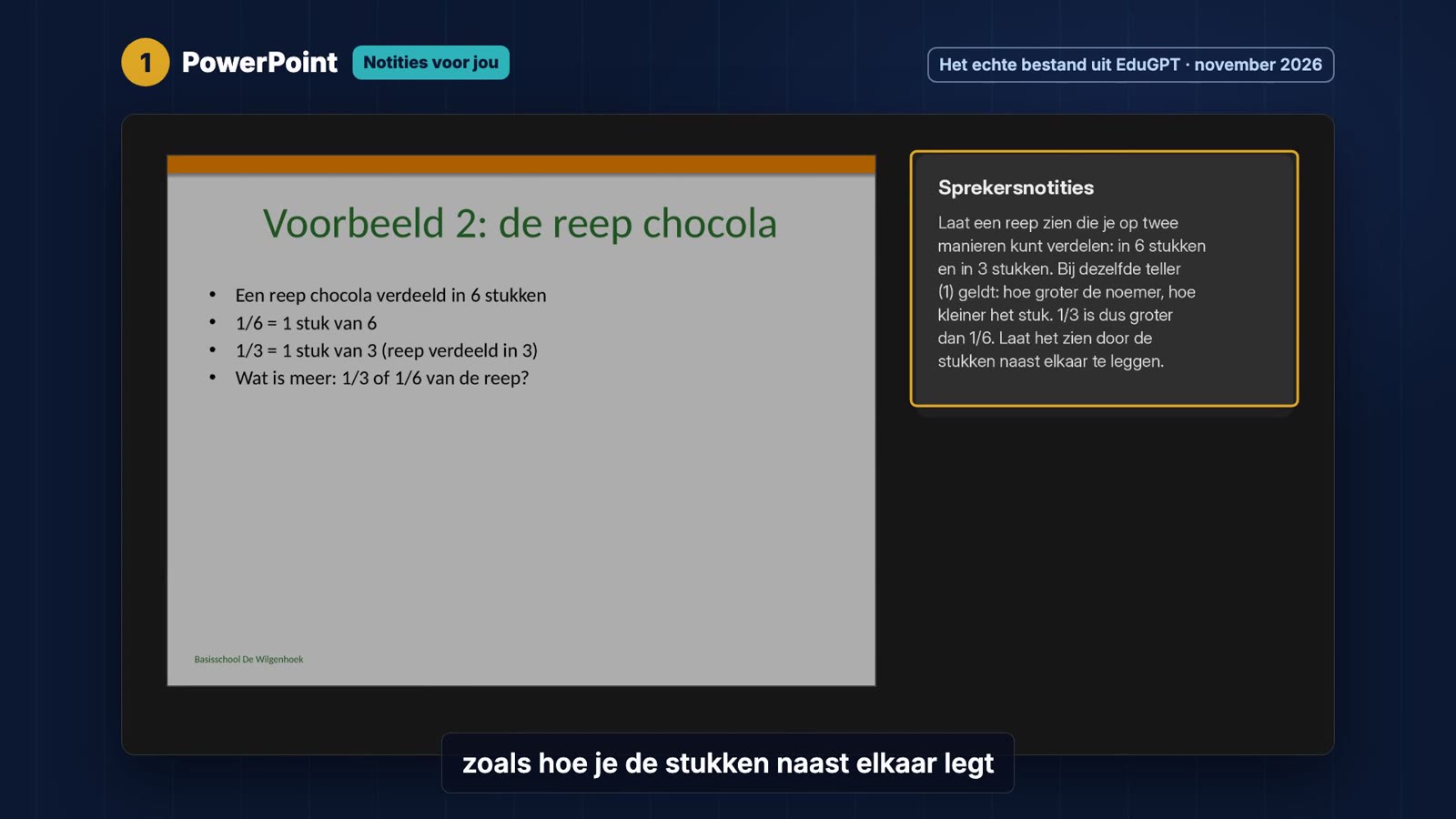
A PowerPoint from EduGPT, with notes for the teacher on each slide.
Further education, secondary vocational, higher professional and university
For lecturers in secondary vocational, higher professional and university education, there’s the master project for further education, with a fictional higher professional nursing course as an example. You formulate assessable learning outcomes, search for open educational resources in Edusources and a guideline online, create a lesson plan with a role play from professional practice, a PowerPoint and case cards in Word. You finish with a rubric and your own AI Companion, with which students practise an SBAR handover.
With the Edusources link, you find open educational resources for higher education, with level, licence and link together. You always check the licence yourself.
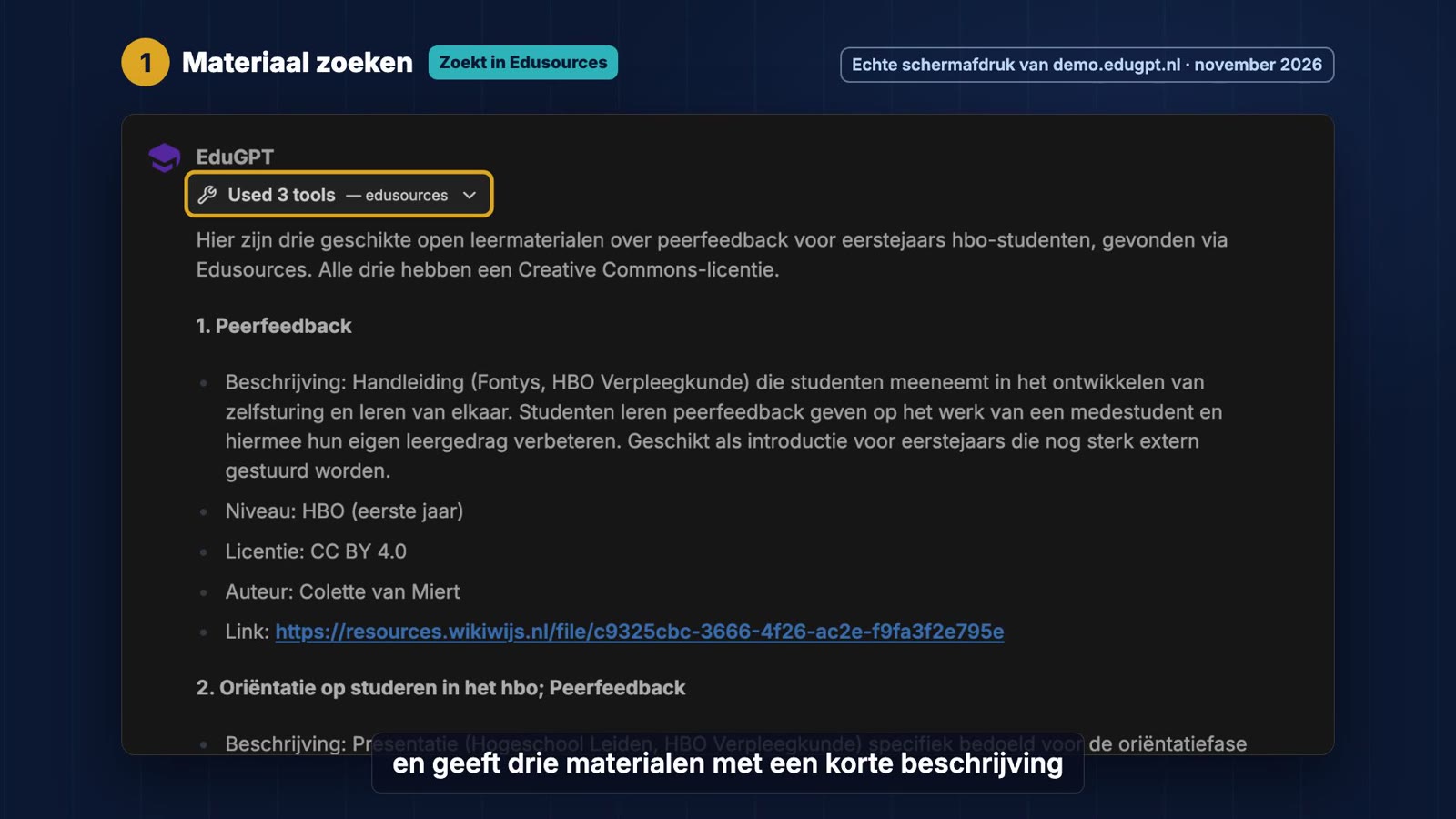
Three open educational resources from Edusources, with level, licence and link.
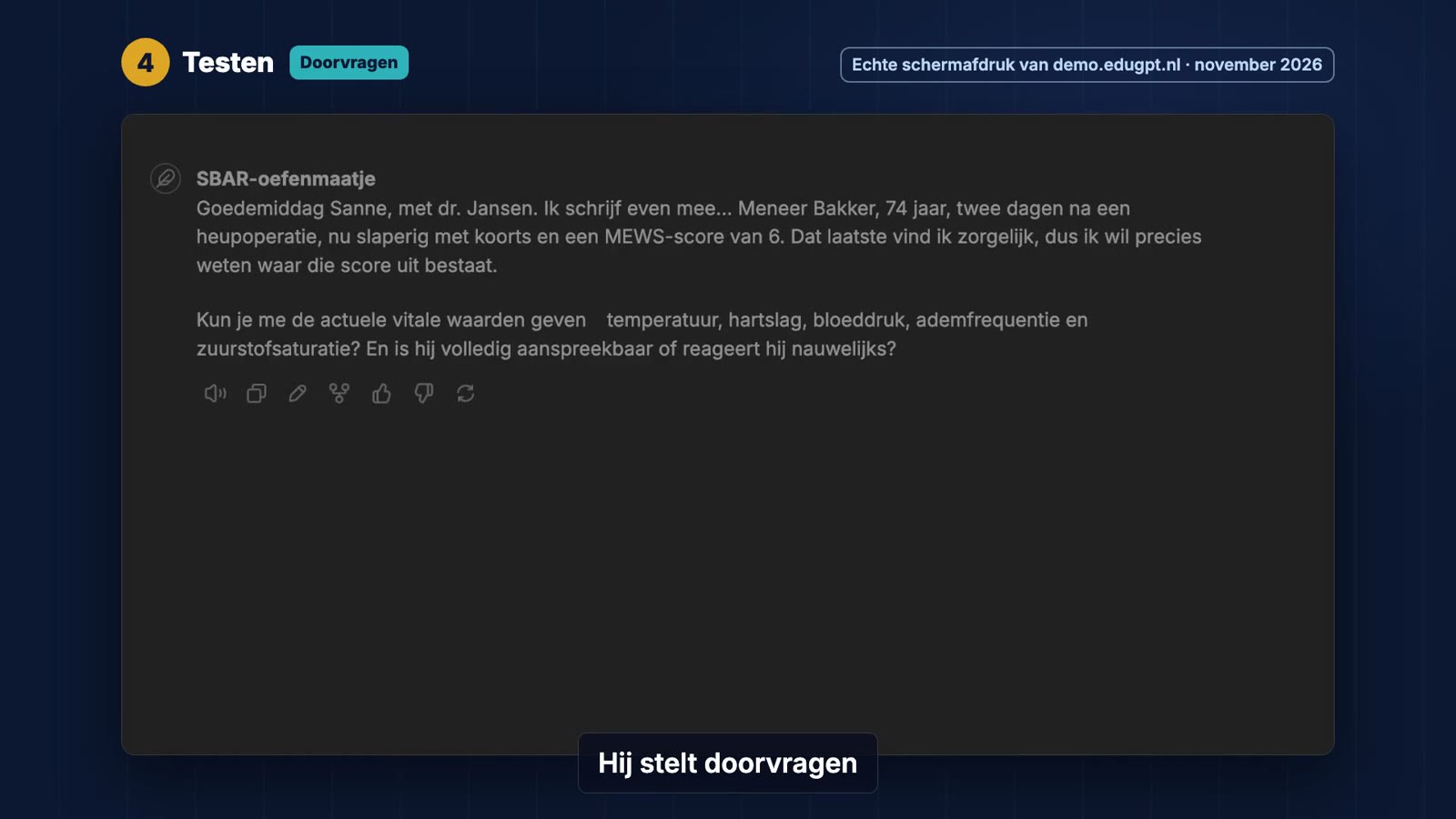
Your own AI Companion plays the doctor, so students can practise the handover.
AI helps, you decide
Each clip includes a checkpoint. You check the exercises, read the licence, or compare the text with the source. EduGPT does a lot of work for you, but the judgement about your lesson remains yours. This fits with the HEAR model from my book The Art of Living Together with AI, on which all CivAI Academy lessons are based.
The complete CivAI Academy offering
The Workshop is part of the full CivAI Academy offering, and everything is free of charge.
- Education. Pathways for pupils and teachers in primary and secondary education, and for students and lecturers in secondary vocational, higher professional and university education, with tasks in EduGPT.
- Government. 76 lessons in which you use GovGPT from your own role, from customer contact to Woo.
- EduGPT Workshop. 20 clips for primary, secondary, secondary vocational, higher professional and university education.
- Vibe coding. Lessons in which you build your own small app with CivAI Coding Studio, by describing in plain language what you want.
Pathways for organisations with OrgGPT and for healthcare with CareGPT are in development.
You don’t need an account and we don’t use cookies or trackers. Your progress is only stored in your own browser, and you can save it as a file. In the welcome lesson, you do a pre-test with the AI Literacy Companion and at the end a post-test, so you can see what you’ve learned.
A certificate for AI literacy
You can earn an official certificate even without an account. After the basics, you earn a digitally signed Basic Certificate, which anyone can verify at academy.civai.eu/verifieer. If you complete a pathway, you earn the Advanced Certificate. The Workshop toolbox is part of Advanced, the master projects and the links are part of Expert. The certificate for Expert will come later, but your progress already counts.
The AI regulation requires schools and institutions to ensure sufficient AI literacy among their staff. With CivAI Academy and the Workshop, you show that your team is taking action.
Get started yourself
Go to academy.civai.eu/onderwijs/werkplaats and choose your pathway. If you don’t work with EduGPT yet, visit edugpt.nl or contact us.
Screenshots from the Workshop knowledge clips, recorded in demo.edugpt.nl with fictional schools, groups and scenarios.
Screenshots from academy.civai.eu and from the knowledge clips, made in demo.edugpt.nl with fictional schools and scenarios